
Fudget: Monthly Budget Planner
Danny ConnellFinance
4.5170.00 Reviews
- Version
- 2.0.23
- Installs
- 100.00K
- Age Rating
- Everyone
Screenshots
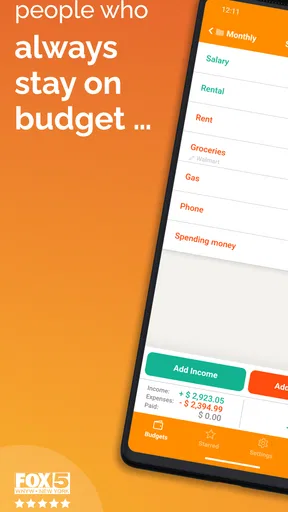
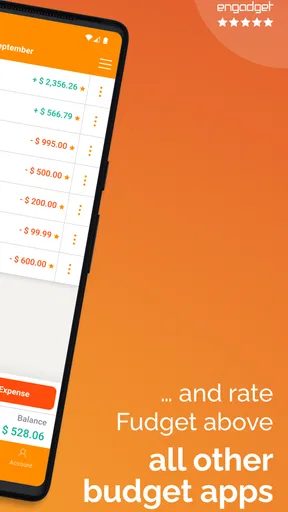
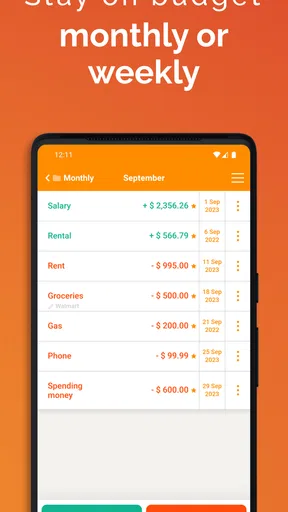
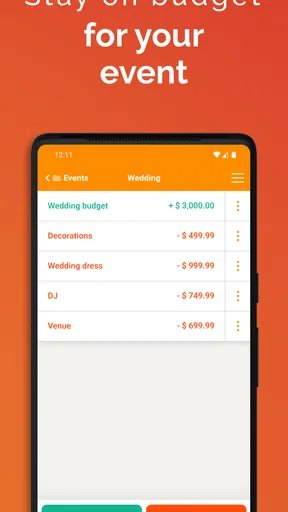
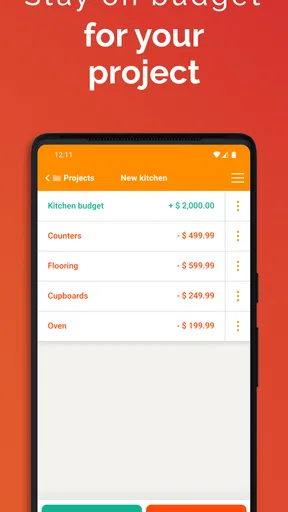
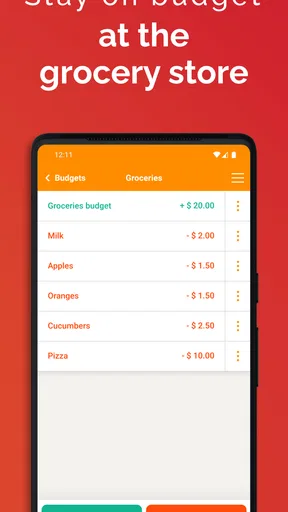
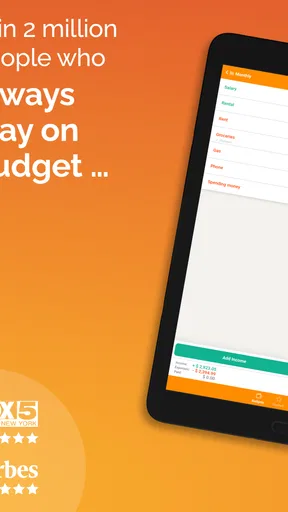
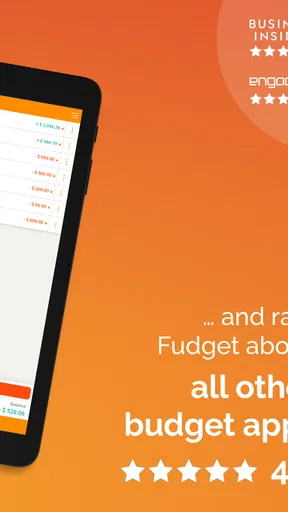
Our Review of Fudget: Monthly Budget Planner
 Analysis by Appyee
When I want to understand where a month’s money is going, I don’t always need a complicated financial dashboard. Sometimes I need a place to write down what came in, what went out, and what I can still spend. That is the simple idea behind Fudget: Monthly Budget Planner, a finance app from Danny Connell. Its manual approach asks for a little attention from me, but it also keeps budgeting straightforward and doesn’t require linking a bank account.
Start with a budget you can actually maintain
Fudget makes most sense when I begin with a practical question: what expenses do I need to cover before the month ends? I can set up categories around my own routine, such as rent, groceries, transport, and bills, rather than trying to fit my life into a fixed template. That freedom is useful, but I’d keep the first setup modest. A short list of categories is easier to maintain than a detailed plan that becomes a chore after a few days.
For example, if I’m trying to get through a month without dipping into savings, I can list the expenses I expect and add income as it arrives. The goal is not to create a perfect forecast; it’s to give myself a running view of the money I have accounted for. Fudget is free to download, rated for Everyone, and has reached over 100,000 installs. Its average rating is 4.6 from around 2,100 ratings, which suggests many people appreciate its uncomplicated approach, though a rating can’t tell me whether its manual workflow suits my habits.
Enter transactions while the details are fresh
Once the budget is in place, the day-to-day flow is simple: tap to add income or an expense, enter the amount, and move on. I’d record a purchase right after paying, or when checking a receipt later that day. Waiting until the end of the week makes small purchases much easier to forget, and manual tracking is only useful when I keep it reasonably current.
A realistic routine could be adding a grocery total on the way home, then checking the remaining amount before making another optional purchase. That small pause is where a basic budget can help: it gives me a reason to compare a decision with the rest of the month, rather than relying on a vague feeling that I’m probably fine. For variable costs, I’d use categories broad enough to handle changing totals without constant rearranging.
Know what the simplicity leaves out
Fudget doesn’t crowd the screen with charts and graphs. I find that refreshing when I want to check a balance quickly, but it also means people who learn best from visual reports may prefer another kind of budgeting tool. The app’s strength is a clear list and direct entry, not a deep analysis of spending patterns. I wouldn’t choose it expecting it to explain trends for me or automatically identify where I could cut back.
That distinction matters when comparing it with common alternatives. A bank-linked budget app may save time by importing transactions, while a spreadsheet can offer more control over formulas and reporting. Fudget sits between those approaches: less setup and less visual complexity than a spreadsheet, but more hands-on than automatic tracking. I’d pick it if I want to stay involved in each entry; I’d look elsewhere if convenience depends on transactions appearing without my input.
Simplifying Budgeting
One of the first things that struck me about Fudget is how simple and intuitive it is. No frills, no fluff—just straightforward budgeting. When you open the app, you're greeted by a clean, uncluttered interface that focuses on what matters: your budget. Setting up your budget categories is a piece of cake, and you can tailor them to fit your personal needs. Whether it’s groceries, rent, or that sneaky coffee habit, everything’s customizable.
Tracking Made Easy
Tracking expenses can often feel like a chore, but Fudget turns it into something almost enjoyable. You just tap to add an income or expense, type in the amount, and you’re done. It’s quick, which means you’re more likely to keep up with it. I found myself actually looking forward to entering expenses, just to watch how it all adds up.
The app doesn’t bog you down with graphs and charts, which is a relief if you prefer simplicity. But don’t let that fool you; it still gives you a clear picture of where your money is going. The ease of use here is key, and it’s what makes Fudget stand out from more complex budgeting tools.
Ad-Free Experience
Another thing I love about Fudget is the ad-free experience. It’s rare to find free apps that don’t bombard you with ads, but Fudget keeps things clean. This allows you to focus on your finances without distractions, which is a huge plus in my book.
Flexibility and Customization
Fudget offers a lot of flexibility, which I found super helpful. You can carry over balances from one month to the next, making it easier to manage long-term savings goals. Plus, if you want a bit more functionality, there’s a one-time purchase option for Fudget Pro, which adds features like Dropbox backup and export options.
Personally, I stuck with the free version for a while and found it more than adequate for my needs. But knowing there’s an upgrade available is reassuring, especially if you start needing those extra features down the line.
A month-end handoff that takes a little care
Carrying a balance forward can help when a goal stretches across several months, but I’d treat that handoff as a deliberate check rather than assuming every month will look alike. Before starting a new budget period, I’d review any unspent amount, confirm which costs are still pending, and decide what should genuinely carry over. That avoids counting the same money twice or treating an old estimate as cash that is still available.
This is also a useful way to handle irregular expenses. If I’m setting money aside for a yearly bill or a trip, I can keep that purpose visible in my own budget instead of letting it disappear among everyday purchases. The trade-off is that I have to remember to update the figures myself. Anyone who wants automatic reminders, bill scheduling, or a fully managed savings plan should compare alternatives before settling on this manual style.
Useful when privacy matters more than automation
Not linking a bank account is more than a setup detail: it changes the whole routine. I decide what gets recorded, and I can use the app without handing over account access. That can be appealing if I’m tracking cash spending, sharing a household budget informally, or simply prefer to keep my budgeting entries separate from my banking. The cost is extra effort. Card purchases won’t appear just because they happened, so I need a reliable habit for entering them.
For a shared household, I’d agree on one simple handoff: whoever makes a purchase sends the amount to the person maintaining the budget, or enters it during a regular check-in. Without that agreement, a clean-looking balance can be misleading because it may reflect missing entries rather than money truly left to spend. Fudget can support a personal tracking routine, but it won’t remove the need for communication between people managing expenses together.
Ad-Free Experience
Another thing I love about Fudget is the ad-free experience. It’s rare to find free apps that don’t bombard you with ads, but Fudget keeps things clean. This allows you to focus on your finances without distractions, which is a huge plus in my book.
Flexibility and Customization
Fudget offers a lot of flexibility, which I found super helpful. You can carry over balances from one month to the next, making it easier to manage long-term savings goals. Plus, if you want a bit more functionality, there’s a one-time purchase option for Fudget Pro, which adds features like Dropbox backup and export options.
Personally, I stuck with the free version for a while and found it more than adequate for my needs. But knowing there’s an upgrade available is reassuring, especially if you start needing those extra features down the line.
Deciding whether an upgrade fits your routine
The app is free, with optional in-app purchases ranging from $2.49 to $19.99 per item. I’d start with the free version and only consider paying when I can name a specific need that the paid features solve. Backup and export can matter if I want a copy of my records elsewhere or need to preserve them beyond the phone, but they’re not essential for everyone who just wants to keep a basic monthly tally.
Before relying on any budgeting app for records I care about, I’d also think through my backup routine and how I want to keep old budgets. A budgeting habit is more useful when it survives a phone change or a busy month, and an export option may be worth considering for someone who wants records they can review outside the app. If I never use those options, paying for them would add little to my day-to-day experience.
Security and Privacy
In today’s world, security is a big deal, and Fudget doesn’t disappoint. It doesn’t require you to link your bank accounts, which means your financial data stays private. This might mean a bit more manual entry, but for the privacy it offers, it’s a trade-off I’m willing to make.
Additionally, the app allows you to set a passcode, adding an extra layer of security to your budgeting details. I found this feature super handy, especially if you’re like me and tend to leave your phone lying around.
Where a lightweight budget can fall short
The main friction is consistency. If I forget to enter several purchases, the figures stop being a dependable guide, and the app can’t correct missing information on my behalf. I’d rather do a quick daily check than spend a long session trying to reconstruct a week from memory. That routine is a genuine requirement, not a small technicality, and it is the clearest reason someone might prefer automatic transaction imports.
Fudget is also not the tool I’d choose for detailed household accounting, tax records, or complex planning across multiple financial accounts. Its uncluttered approach works best when I want a personal view of money in and money out. People who need detailed charts, automatic categorization, or a broader financial overview will likely be better served by a more comprehensive app or a carefully built spreadsheet.
Final Thoughts
All in all, Fudget: Monthly Budget Planner is a fantastic tool for anyone looking to get a handle on their finances without getting overwhelmed. Its simplicity, combined with thoughtful features, makes it a standout app for both budgeting newbies and seasoned pros alike. Whether you’re trying to save for a vacation or just want to stop living paycheck to paycheck, Fudget is definitely worth checking out.
If you’re interested in giving it a go, you can find Fudget on both Android and iOS platforms. It’s free to download, so there’s really no reason not to try it out. Happy budgeting!
The app was released on July 28, 2023, and its current version is 2.0.23, with Android support from version 7.0. Those details help set expectations for compatibility, but the more important question for me is whether its hands-on method fits the way I already handle money. If I’m willing to enter purchases and check the running totals, I can begin without paying; if I need automation from day one, I’d choose a different kind of finance app.
Who is likely to get the most from it?
I’d recommend Fudget to someone who wants a small, understandable budgeting habit rather than a complete financial command center. It can suit a student keeping rent and food visible, a freelancer noting irregular income, or anyone trying to stop casual spending from eating into a planned amount. For a freelancer, for instance, I’d enter income when it arrives and avoid treating a good week as permission to spend ahead of upcoming obligations. The app can make the numbers visible, but the judgment about what is safe to spend remains mine.
I’d be less enthusiastic about it for someone who finds manual logging stressful, needs shared live access for a family, or wants their bank activity categorized automatically. It is also not a substitute for professional financial advice or a full accounting system. The right test is simple: if recording each transaction feels manageable, its directness is a strength; if that task is exactly what you tend to avoid, the simplicity may not be enough to keep the budget accurate.
A practical check before the month gets away from you
One useful workflow is to review the budget at the same time each week, rather than waiting until the balance feels surprising. I’d compare the entries with recent receipts or banking activity, add anything I missed, and then look at the remaining categories before making nonessential plans. This is not elaborate forecasting, but it catches small omissions early and makes the figures more useful for decisions. Keeping the review short also makes it easier to repeat.
For a one-off event such as a weekend away, I’d make a separate plan for the spending I expect and record costs as they happen, then check how that affects the rest of the month. This helps distinguish a planned exception from everyday overspending. The useful insight is not that every purchase needs a special category; it’s that temporary plans are easier to manage when I decide in advance which regular spending can flex and which bills cannot.
My overall recommendation
Fudget’s appeal is its clear, hands-on approach: I can set up a personal budget, record movements, and carry balances forward without first connecting a bank account or learning a complicated system. The cost of that control is that I have to keep the entries current and make my own interpretations. I’d try it if I wanted a low-friction starting point and valued privacy; I’d pass if automatic imports, rich reports, or shared household tools are essential. For the right routine, it makes a monthly budget feel approachable rather than intimidating.
Verdict
Strengths of Fudget: Monthly Budget Planner
- Simple, user-friendly interface.
- No ads to interrupt usage.
- Offline access available.
- Customizable categories.
- One-time purchase option.
Limitations of Fudget: Monthly Budget Planner
- Limited advanced features.
- No integration with banks.
- No collaborative features.
- No cloud sync option.
- Basic reporting tools.
Similar Picks in This Category
View All
Google Wallet
Google LLC4.3

Airtel: Recharge, Bank & Loans
Airtel4.0

PayPal - Pay, Send, Save
PayPal Mobile4.2

DANA Indonesia Digital Wallet
PT Espay Debit Indonesia Koe4.5

Binance: Buy Bitcoin & Crypto
Binance Inc.4.8

Cash App
Block, Inc.4.7
Frequently Asked Questions
What is Fudget: Monthly Budget Planner and who is it for?
Fudget is a simple and intuitive budgeting app designed for individuals who want to manage their finances without the complexity of traditional budgeting tools. It's ideal for users seeking a straightforward way to track expenses and income, helping them to stay on top of their monthly financial goals.
Does Fudget require an internet connection to function?
Fudget primarily operates offline, ensuring that you can manage your finances anytime and anywhere without needing an internet connection. This is particularly useful for users who prefer to keep their financial data private or those who frequently find themselves without internet access.
Can I sync my data across multiple devices with Fudget?
Currently, Fudget does not support automatic data syncing across multiple devices. Users will need to manually transfer data if they want to switch devices. This simplicity is a trade-off for those who prioritize ease of use over cloud-based features.
How does Fudget handle data privacy and security?
Fudget is designed with user privacy in mind. Since it operates offline, your data is stored locally on your device, reducing the risk of online breaches. However, it’s recommended to regularly back up your data to prevent loss due to device malfunctions.
Are there any costs associated with using Fudget?
Fudget offers a free version with basic features, which is sufficient for many users. However, there is a premium version available for a one-time fee that includes additional features such as themes and the ability to export data, enhancing the overall user experience.
